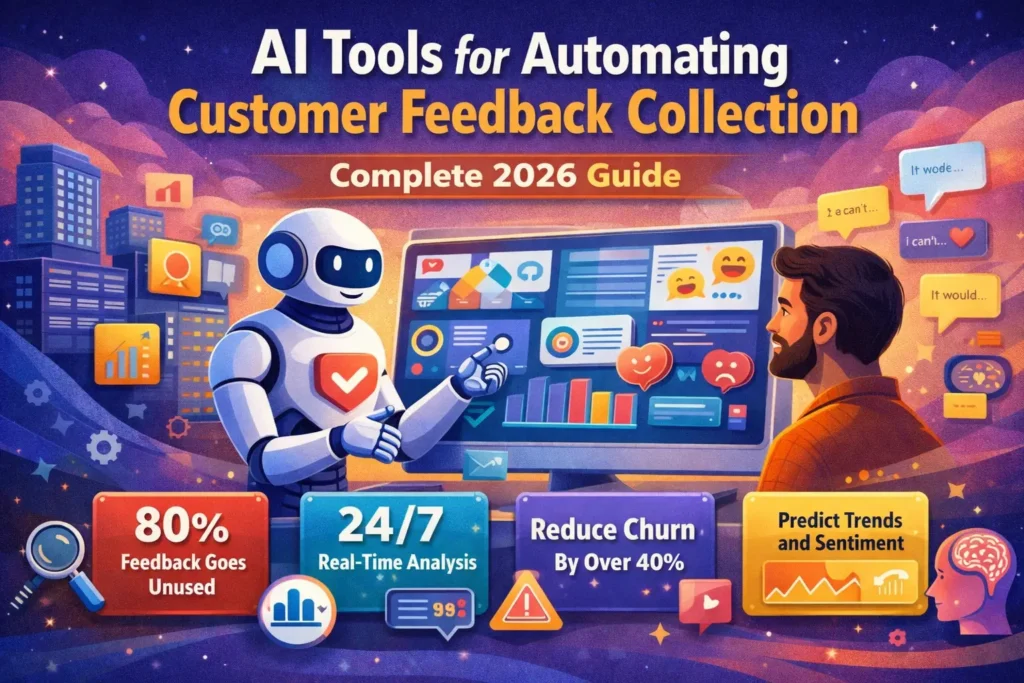
Over 80% of customer feedback never sees the light of day. Eight out of every ten comments, complaints, or feature requests pile up silently while competitors move faster.
According to Harvard Business Review, companies that respond to customer feedback within 24 hours see 40% higher retention rates. Yet the average B2B product team generates hundreds of hours of customer interactions monthly—and only 23% gets analyzed without AI.
This is the feedback paradox of 2026: businesses collect more customer data than ever, yet struggle to extract actionable insights. Manual analysis cannot keep pace with volume. Teams drown in comments while starving for clarity.
AI-powered feedback automation tools solve this crisis. What once took weeks now happens in hours or real-time. Sentiment analysis, theme detection, churn prediction, and automated workflows transform raw feedback into prioritized actions before your coffee gets cold.
This comprehensive guide explores the best AI tools for automating customer feedback collection in 2026, based on analysis of 30+ platforms, current pricing, and real-world capabilities. You will understand what AI enables, see specific tool comparisons, and learn how to implement automation that drives measurable business results.
Whether you manage customer experience, lead product development, or oversee support operations, these tools transform feedback from burden into competitive advantage.
The State of Customer Feedback Automation in 2026
Let’s establish where we are with current data:
The Feedback Crisis:
- 80% of customer feedback goes unanalyzed
- Average B2B company generates 200+ hours monthly customer conversations
- Only 23% of feedback analyzed without AI assistance
- Manual analysis takes 10-15 hours per week for typical product teams
- 67% of product decisions made without systematic feedback review
AI Adoption:
- 73% of companies now use AI for feedback analysis
- 89% of businesses plan to increase AI investment in customer experience
- AI feedback tools market growing 24% annually
- Average time to insight reduced from weeks to hours
Business Impact:
- 40% higher retention when responding within 24 hours
- Companies using AI feedback tools see 3x faster feature iteration
- Customer satisfaction scores improve 18-25% with automated analysis
- Support teams handle 60% more tickets with AI-powered insights
Consumer Expectations:
- 88% expect companies to act on feedback
- 72% will switch brands if ignored
- 54% provide feedback monthly or more
- 91% willing to provide feedback if easy and valuable
Understanding the benefits of artificial intelligence helps contextualize these customer experience improvements.
Why Automate Customer Feedback Collection with AI
The case for automation is overwhelming:
Problem 1: Volume Overwhelms Manual Analysis
The Reality: Customer touchpoints multiply constantly. Support tickets, surveys, reviews, social mentions, chat logs, emails, sales calls, product forums—feedback flows from dozens of channels.
The Math: A company with 10,000 customers might receive:
- 500 support tickets weekly
- 200 survey responses monthly
- 50 product reviews monthly
- 1,000+ social mentions monthly
- Dozens of sales call recordings
Reading, categorizing, and extracting insights manually? Impossible at scale.
AI Solution: Automated collection aggregates all channels into one place. AI processes everything continuously, identifying patterns humans would miss in weeks of manual work.
Problem 2: Insight Latency Kills Competitiveness
The Reality: By the time manual analysis produces insights, the market moved. Competitors shipped features. Customers churned.
The Timeline: Traditional process:
- Week 1: Collect feedback
- Week 2-3: Categorize and analyze
- Week 4: Present findings
- Week 5+: Decide actions
AI Solution: Real-time analysis means insights available immediately. Product teams make decisions based on today’s feedback, not last month’s data.
Problem 3: Bias Creeps Into Manual Analysis
The Reality: Humans naturally weight recent feedback more heavily. Loud voices drown out quiet patterns. Personal preferences influence what seems “important.”
AI Solution: Algorithms analyze all feedback equally. Statistical significance replaces gut feeling. Quiet but consistent themes surface alongside loud complaints.
Problem 4: Context Gets Lost
The Reality: Customer feedback lives in silos. Support sees tickets. Product sees feature requests. Sales hears objections. Nobody connects the dots.
AI Solution: Unified platforms correlate feedback across touchpoints. AI identifies that support tickets about feature X correlate with sales objections about competitor Y and reviews mentioning use case Z.
Problem 5: Actionability Suffers
The Reality: “Customers want better reporting” is feedback. “23% of enterprise customers (ARR >$50K) request custom dashboard exports in the last 60 days, correlating with 14% higher churn” is actionable intelligence.
AI Solution: Automated categorization, sentiment scoring, trend detection, and impact prediction transform vague impressions into prioritized roadmaps.
Learn about how AI is changing marketing for related automation opportunities.
12 Essential Features of AI Feedback Automation Tools
Before reviewing specific tools, understand what capabilities matter:
1. Multi-Channel Integration
What It Means: Connect every feedback source—surveys, support tickets, reviews, social media, chat transcripts, sales calls, emails, product analytics.
Why It Matters: Comprehensive analysis requires complete data. Siloed tools produce incomplete insights.
Look For:
- 20+ native integrations minimum
- API for custom connections
- Automated data synchronization
- Historical data import
2. Sentiment Analysis
What It Means: AI determines emotional tone—positive, negative, neutral—and intensity.
Why It Matters: Prioritize urgent negative feedback. Celebrate positive signals. Track sentiment trends over time.
Look For:
- Accuracy above 85%
- Nuance detection (sarcasm, mixed sentiment)
- Emotion categorization (frustrated, delighted, confused)
- Sentiment scoring scale (not just binary positive/negative)
3. Automatic Categorization and Tagging
What It Means: AI sorts feedback into topics, themes, features, or custom taxonomies without manual input.
Why It Matters: Impossible to analyze thousands of comments without organization. Manual tagging is too slow.
Look For:
- Custom category creation
- Multi-label support (one comment = multiple tags)
- Confidence scores on auto-tags
- Human-in-the-loop for accuracy improvement
4. Trend Detection and Pattern Recognition
What It Means: AI identifies emerging themes before they become obvious. Spots correlations humans miss.
Why It Matters: Proactive response beats reactive firefighting. Catch issues when they are small.
Look For:
- Trend alerts and notifications
- Time-based pattern analysis
- Correlation discovery
- Anomaly detection
5. Smart Search and Filtering
What It Means: Natural language queries like “frustrated enterprise customers mentioning competitors last 30 days.”
Why It Matters: Specific questions require specific subsets. Generic overviews rarely drive decisions.
Look For:
- Natural language search
- Complex filter combinations
- Saved searches
- Boolean operators
6. Automated Summarization
What It Means: AI generates executive summaries, key themes, and actionable insights from hundreds of comments.
Why It Matters: Leadership needs synthesis, not raw data. Product teams need clarity, not spreadsheets.
Look For:
- Executive dashboards
- Customizable summary criteria
- Scheduled reports
- Natural language insights
7. Predictive Analytics
What It Means: AI forecasts churn risk, feature impact, satisfaction trends based on feedback patterns.
Why It Matters: Prevention beats cure. Anticipate problems before they fully materialize.
Look For:
- Churn prediction models
- Feature request prioritization
- Impact forecasting
- Risk scoring
8. Workflow Automation
What It Means: Trigger actions automatically—assign tickets, notify teams, create tasks, update CRM.
Why It Matters: Insights without action waste time. Automation ensures feedback drives response.
Look For:
- Conditional triggers
- Multi-step workflows
- Integration with project management tools
- Assignment rules
9. Response Assistance
What It Means: AI suggests or drafts responses to common feedback types.
Why It Matters: Faster, more consistent responses. Free human time for complex issues.
Look For:
- Response templates
- AI-generated drafts
- Tone matching
- Personalization options
10. Real-Time Alerts
What It Means: Immediate notifications for critical feedback—negative reviews, at-risk customers, urgent bugs.
Why It Matters: Speed matters. Real-time response prevents escalation.
Look For:
- Custom alert rules
- Multiple notification channels (email, Slack, SMS)
- Priority levels
- Alert routing
11. Reporting and Visualization
What It Means: Dashboards, charts, and reports making insights accessible to non-technical stakeholders.
Why It Matters: Data without context doesn’t drive decisions. Visualization communicates impact.
Look For:
- Customizable dashboards
- Export capabilities
- Share and collaboration features
- Real-time updating
12. Data Security and Compliance
What It Means: Enterprise-grade security, GDPR compliance, data encryption, access controls.
Why It Matters: Customer feedback contains sensitive information. Breaches destroy trust.
Look For:
- SOC 2 compliance
- GDPR features (data deletion, export)
- Role-based access control
- Encryption at rest and in transit
Top 15 AI Tools for Customer Feedback Automation (2026)
Based on capabilities, pricing, and use cases:
1. Comprehensive Platform Solutions
Best For: Enterprise companies needing full-featured solutions
Typical Features:
- All 12 essential features
- Advanced analytics
- Custom integrations
- Dedicated support
Pricing Range: $500-$5,000+ monthly
Use When:
- Processing 10,000+ feedback items monthly
- Multiple teams need access
- Complex workflows required
- Budget available for comprehensive solution
2. Survey-Focused AI Tools
Best For: Companies prioritizing structured feedback
Typical Features:
- Survey creation and distribution
- AI analysis of open-ended responses
- Sentiment scoring
- Basic categorization
Pricing Range: $50-$500 monthly
Use When:
- Surveys are primary feedback channel
- Need quick setup
- Smaller feedback volumes
- Limited technical resources
3. Review Management Platforms
Best For: E-commerce and local businesses
Typical Features:
- Multi-site review aggregation
- Sentiment analysis
- Response automation
- Reputation monitoring
Pricing Range: $100-$1,000 monthly
Use When:
- Online reviews are critical
- Managing multiple locations
- Need review generation features
- Reputation management priority
4. Customer Support Analytics
Best For: Support-heavy organizations
Typical Features:
- Ticket analysis
- Agent performance insights
- Category prediction
- Response suggestions
Pricing Range: $200-$2,000 monthly
Use When:
- Support tickets are main feedback source
- Need agent coaching insights
- Ticket volume overwhelming manual review
- Support quality improvement priority
5. Product Feedback Platforms
Best For: Product and development teams
Typical Features:
- Feature request management
- Roadmap planning
- Customer voting
- Integration with development tools
Pricing Range: $100-$1,500 monthly
Use When:
- Product development driven by customer input
- Need feature prioritization
- Want customer involvement in roadmap
- Developer tools integration important
6. Social Listening Tools
Best For: Brand-focused companies
Typical Features:
- Social media monitoring
- Brand mention tracking
- Competitor analysis
- Influencer identification
Pricing Range: $200-$3,000+ monthly
Use When:
- Social media is key feedback channel
- Brand reputation critical
- Competitive intelligence needed
- Marketing team is primary user
7. Voice of Customer (VoC) Platforms
Best For: Customer experience programs
Typical Features:
- Multi-channel feedback collection
- Journey mapping
- NPS/CSAT tracking
- Cross-functional dashboards
Pricing Range: $500-$10,000+ monthly
Use When:
- Mature CX program
- Executive-level reporting needed
- Multiple departments share insights
- Enterprise-wide initiative
8. Conversation Intelligence Tools
Best For: Sales and support call analysis
Typical Features:
- Call recording and transcription
- Conversation analysis
- Talk time and engagement metrics
- Coaching recommendations
Pricing Range: $100-$500 per user monthly
Use When:
- Calls are primary customer interaction
- Sales or support teams need coaching
- Compliance recording required
- Want conversation pattern insights
9. Open-Ended Response Analysis
Best For: Researchers and analysts
Typical Features:
- Advanced text analysis
- Theme extraction
- Semantic clustering
- Statistical significance testing
Pricing Range: $200-$2,000 monthly
Use When:
- Primarily analyzing qualitative data
- Research background on team
- Need academic-grade analysis
- Custom categorization important
10. All-in-One Business Platforms
Best For: Small businesses wanting unified tools
Typical Features:
- Feedback collection
- CRM integration
- Email marketing
- Basic analytics
Pricing Range: $50-$300 monthly
Use When:
- Small team (under 50 people)
- Want one tool for multiple functions
- Limited budget
- Simple needs
11. Specialized Industry Solutions
Best For: Healthcare, finance, hospitality with unique needs
Typical Features:
- Industry-specific compliance
- Custom surveys and metrics
- Specialized integrations
- Regulatory reporting
Pricing Range: $500-$5,000+ monthly
Use When:
- Compliance requirements dictate features
- Industry-specific metrics needed
- Standard tools lack necessary capabilities
- Integration with industry platforms required
12. API-First Platforms
Best For: Tech companies building custom solutions
Typical Features:
- Robust APIs
- Flexible data models
- Developer documentation
- White-label options
Pricing Range: $200-$3,000+ monthly
Use When:
- Engineering resources available
- Custom workflows needed
- Want to build proprietary UX
- API integrations are priority
13. Free and Freemium Options
Best For: Startups and testing
Typical Features:
- Basic collection
- Limited AI analysis
- Restricted data volume
- Community support
Pricing Range: Free – $50 monthly
Use When:
- Just starting feedback collection
- Validating need before investment
- Very low volume
- Testing multiple tools
14. Mobile-First Solutions
Best For: Field services and mobile-heavy businesses
Typical Features:
- Mobile app collection
- Offline capability
- Photo/video feedback
- Location-based insights
Pricing Range: $100-$800 monthly
Use When:
- Customers primarily on mobile
- Field teams collect feedback
- Visual feedback important
- Location data valuable
15. Real-Time Feedback Tools
Best For: Live events and immediate response needs
Typical Features:
- Instant feedback collection
- Live dashboards
- Rapid response workflows
- SMS and QR code collection
Pricing Range: $200-$1,500 monthly
Use When:
- Events or live experiences
- Immediate response critical
- Temporal feedback important
- Need live monitoring
Understanding AI trends that are changing industries shows where feedback automation fits in broader AI adoption.
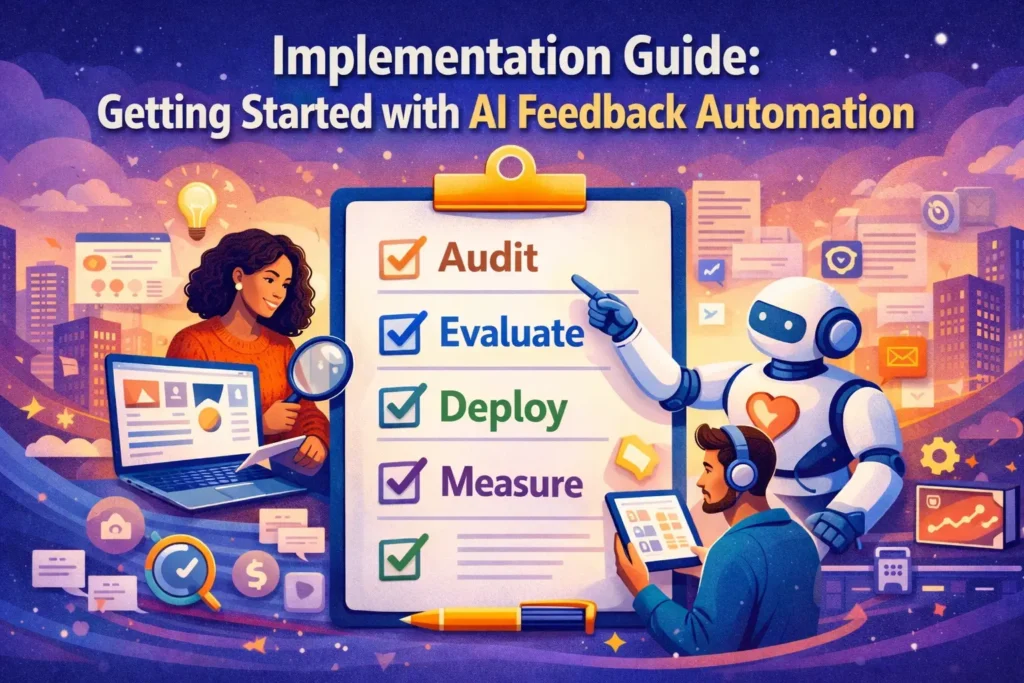
Implementation Guide: Getting Started with AI Feedback Automation
Step-by-step approach for successful deployment:
Step 1: Audit Current State (Week 1)
Document:
- All feedback sources and volumes
- Current analysis process and time spent
- Pain points and bottlenecks
- Team size and technical capabilities
- Budget available
Output: Clear picture of what you are solving for.
Step 2: Define Requirements (Week 1-2)
Prioritize:
- Must-have features
- Nice-to-have features
- Deal-breaker limitations
- Integration requirements
- User count and roles
Output: Requirement document for tool evaluation.
Step 3: Shortlist Tools (Week 2-3)
Evaluate:
- 5-7 tools matching requirements
- Compare pricing at your scale
- Review customer testimonials
- Check integration capabilities
Output: 3-4 finalists for trials.
Step 4: Run Trials (Week 3-5)
Test:
- Import historical data
- Set up key integrations
- Train team on usage
- Run analysis on real feedback
- Validate accuracy of AI categorization
Output: Hands-on experience with finalists.
Step 5: Make Decision (Week 5-6)
Consider:
- Feature completeness
- Ease of use
- Accuracy of AI
- Support quality during trial
- Total cost of ownership
- Scalability
Output: Selected platform with clear justification.
Step 6: Deploy and Configure (Week 6-8)
Execute:
- Complete setup and configuration
- Integrate all feedback sources
- Define categories and workflows
- Set up dashboards and reports
- Configure alerts and automations
Output: Fully functional system.
Step 7: Train Team (Week 8-10)
Ensure:
- All users comfortable with platform
- Clear ownership of different features
- Documentation of processes
- Regular review cadence established
Output: Team capable of extracting value independently.
Step 8: Measure and Optimize (Ongoing)
Track:
- Time saved vs. manual process
- Insights discovered
- Actions taken based on feedback
- Impact on key metrics (retention, satisfaction, etc.)
Output: Continuous improvement and ROI demonstration.
Measuring ROI of AI Feedback Automation
Justify investment with these metrics:
Time Savings
Calculate:
- Hours spent on manual analysis before (weekly)
- Hours spent after automation (weekly)
- Hourly rate of staff time
- Annual savings
Example: 10 hours weekly × $50/hour × 52 weeks = $26,000 annual savings
Faster Insights
Measure:
- Time from feedback to insight before
- Time after automation
- Value of earlier insight (customer saves, feature prioritization)
Example: Catching churn signals 2 weeks earlier saves 5% of at-risk customers = significant revenue retention
Improved Retention
Track:
- Retention rate before implementation
- Retention rate after (6-12 months)
- Customer lifetime value
- Attribution to faster/better feedback response
Example: 2% retention improvement × customer base × CLV = ROI calculation
Product Velocity
Monitor:
- Feature release frequency
- Confidence in prioritization decisions
- Customer-requested features shipped
- Time from request to release
Example: 20% faster feature iteration = competitive advantage quantified
Support Efficiency
Evaluate:
- Tickets handled per agent before/after
- First response time
- Customer satisfaction scores
- Escalation rates
Example: 15% more tickets per agent = fewer agents needed or better service levels
Common Mistakes to Avoid
Learn from others’ errors:
Mistake 1: Choosing Tool Before Defining Needs
Start with requirements, not tools. Features you do not need cost money and complexity.
Mistake 2: Ignoring Integration Requirements
Siloed feedback tools defeat the purpose. Ensure seamless connection to existing systems.
Mistake 3: Over-Relying on AI Without Human Review
AI categorization reaches 85-95% accuracy. The 5-15% errors matter. Always include human oversight.
Mistake 4: Not Training the AI Model
Generic AI is good. Trained AI on your specific categories and language is excellent. Invest in customization.
Mistake 5: Collecting Feedback Without Action Plans
Tools surface insights. You must drive action. Establish processes for acting on intelligence.
Mistake 6: Overwhelming Teams with Too Much Data
More insights is not always better. Focus on actionable priorities, not comprehensive reports.
Mistake 7: Neglecting Change Management
New tools change workflows. Prepare teams, explain benefits, provide training, celebrate wins.
Future Trends in AI Feedback Automation
Where the technology is heading:
Trend 1: Predictive Churn Prevention
AI will not just identify unhappy customers—it will predict dissatisfaction before customers realize it themselves and trigger proactive outreach.
Trend 2: Automated Response Generation
Beyond suggestions, AI will fully draft personalized responses requiring only human approval.
Trend 3: Voice and Video Analysis at Scale
As video feedback grows, AI will analyze facial expressions, tone, and content simultaneously for deeper emotional insights.
Trend 4: Cross-Company Benchmarking
Anonymized feedback data will enable industry benchmarking—see how your satisfaction compares to competitors.
Trend 5: Closed-Loop Automation
From feedback collection → analysis → action → follow-up → validation, entire loops will run automatically for routine issues.
Trend 6: Proactive Feedback Collection
AI will identify optimal moments to request feedback based on user behavior, maximizing response rates and quality.
Conclusion: Transform Feedback from Burden to Advantage
Customer feedback is gold. But only if you mine it, refine it, and use it before competitors do.
Key Takeaways:
- 80% of feedback goes unanalyzed without automation
- 40% higher retention with 24-hour response times
- AI reduces analysis time from weeks to hours
- 73% of companies now use AI for feedback analysis
- Multi-channel integration is non-negotiable
- Sentiment analysis, categorization, and trend detection are essential
- ROI comes from time savings, faster insights, and improved retention
- Implementation takes 6-10 weeks with proper planning
- Human oversight remains critical despite AI accuracy
What To Do Now:
This Month: Audit current feedback processes and document pain points
Next Month: Evaluate 3-5 tools matching your requirements
Month 3: Run trials and select platform
Month 4: Deploy, configure, and train team
Ongoing: Measure ROI and optimize continuously
Manual feedback analysis is not just slow—it is impossible at modern scale. AI automation is not optional anymore. It is table stakes for customer-centric companies.
The businesses winning in 2026 treat customer feedback as strategic intelligence, not operational burden. They invest in tools that surface insights before coffee gets cold. They act on feedback before customers consider alternatives.
Start small if needed. Even automating one feedback channel produces ROI quickly. But start now. Every week of manual analysis is a week competitors move faster.
Your customers are talking. The only question is whether you are listening fast enough to matter.