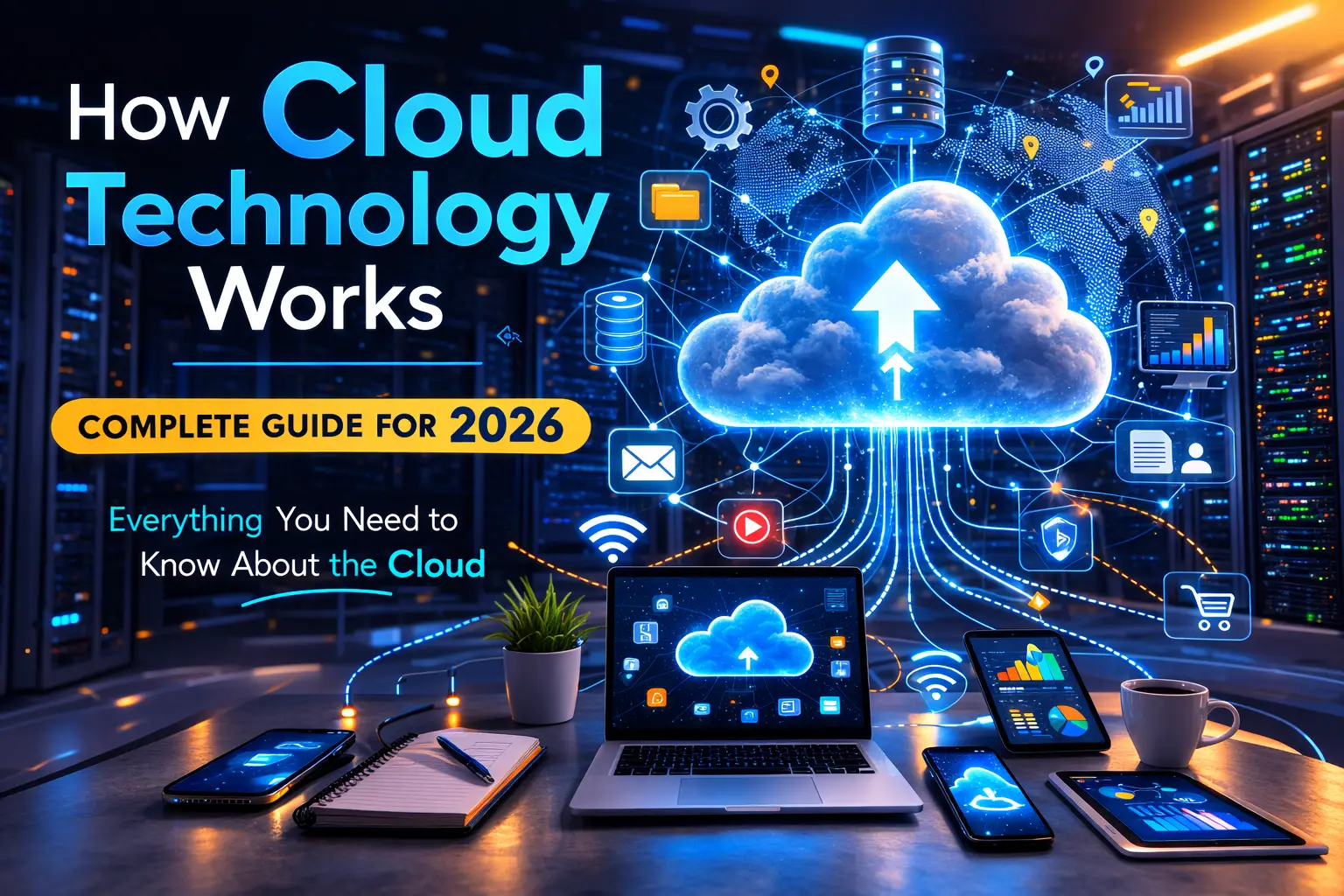
Every time you check your email, watch Netflix, or use Google Docs, you are using cloud technology. But what exactly is the cloud? How does it work? And why does everyone talk about it?
In simple terms, cloud technology means storing and accessing data and programs over the internet instead of on your computer’s hard drive. Think of it like having an invisible computer somewhere on the internet that you can use anytime, from anywhere.
This guide explains cloud technology in simple words anyone can understand. We will cover what cloud computing is, how it works, different types of cloud services, and why businesses love it. By the end, you will understand why the cloud has become essential in 2026.
What Is Cloud Technology?
Cloud technology refers to the delivery of computing services over the internet. Instead of owning physical servers and data centers, you rent access to applications, storage, and processing power from a cloud provider.
Simple Definition: Cloud technology lets you use computers, storage, and software that belong to someone else, accessed through the internet.
Imagine you need a car for a few hours. You could buy one (expensive), or you could rent one (cheaper and easier). Cloud technology works the same way. Instead of buying expensive servers, you rent computing power when you need it.
What the Cloud Provides:
- Storage: Keep files online instead of on your device
- Computing Power: Run programs without installing them
- Databases: Store and manage information
- Networking: Connect systems together
- Analytics: Process and understand data
- Artificial Intelligence: Use smart features without building them
Understanding how technology is changing businesses shows why cloud adoption has grown so dramatically.
Cloud Technology Explained: The Basic Concept
When people say “the cloud,” they mean the internet. But more specifically, they mean computers and servers located in massive data centers around the world.
Here Is How It Works:
Step 1: You connect to the internet from your device (phone, laptop, tablet)
Step 2: You request something (open an email, watch a video, save a file)
Step 3: Your request travels to a data center somewhere in the world
Step 4: Powerful computers in that data center process your request
Step 5: The result travels back to you through the internet
Step 6: You see the email, video starts playing, or your file saves
All of this happens in milliseconds. You do not need to know where the data center is or how the computers work. It just works.
How Does Cloud Computing Work?
Cloud computing relies on virtualization. Virtualization creates virtual versions of physical resources like servers, storage, and networks.
Virtualization Makes the Cloud Possible
Imagine one powerful physical server. Virtualization software divides this server into multiple virtual servers. Each virtual server acts like an independent computer, but they all share the same physical hardware.
Why This Matters:
- One physical server can run dozens of virtual servers
- Resources get used more efficiently
- Companies can quickly add or remove virtual servers as needed
- Costs go down because physical equipment gets shared
Resource Pooling
Cloud providers pool resources from many physical servers. When you need computing power, the system automatically assigns resources from this pool.
Think of it like a power grid. You do not care which specific power plant generates your electricity. You just plug in your device and it works. Cloud computing works the same way.
On-Demand Self-Service
You can access cloud resources anytime without calling someone. Need more storage? You add it yourself through a dashboard. Need to run a program? You click a button and it starts.
This self-service model makes cloud technology fast and convenient.
Rapid Elasticity
Cloud resources can quickly scale up or down based on demand. If your website gets sudden traffic, the cloud automatically adds more computing power. When traffic drops, resources scale back down.
You only pay for what you actually use. This flexibility saves money and ensures good performance.
Measured Service
Cloud providers track exactly how much of each resource you use. You can see detailed usage reports showing computing time, storage space, and network traffic.
This transparency helps you optimize costs and understand your technology spending.
Types of Cloud Technology
Cloud services come in different forms. Each type serves different needs.
Infrastructure as a Service (IaaS)
IaaS provides basic computing infrastructure: servers, storage, and networking. You manage the operating system and applications, but the provider handles the physical hardware.
Examples:
- Amazon Web Services (AWS) EC2
- Microsoft Azure Virtual Machines
- Google Cloud Compute Engine
Best For: Businesses that want control over their computing environment without managing physical servers
Use Cases:
- Website hosting
- Development and testing environments
- Big data analysis
- Backup and disaster recovery
Platform as a Service (PaaS)
PaaS provides a complete development platform. You build and deploy applications, while the provider manages servers, storage, networking, databases, and development tools.
Examples:
- Google App Engine
- Microsoft Azure App Service
- Heroku
- AWS Elastic Beanstalk
Best For: Developers who want to focus on building applications without managing infrastructure
Use Cases:
- Application development
- API development
- Business analytics
- Database management
Software as a Service (SaaS)
SaaS delivers fully functional applications over the internet. You simply use the software through a web browser or app. The provider handles everything else.
Examples:
- Gmail (email)
- Microsoft 365 (office productivity)
- Salesforce (customer management)
- Zoom (video conferencing)
- Netflix (streaming)
- Dropbox (file storage)
Best For: Users who want ready-to-use applications without installation or maintenance
Use Cases:
- Email and communication
- Customer relationship management
- Project management
- Document creation and sharing
- Accounting and finance
Most people use SaaS applications every day without realizing it. Our guide on the best productivity tools for businesses covers many SaaS solutions.
Cloud Deployment Models
Clouds can be deployed in different ways, depending on who can access them and where they are located.
Public Cloud
Public clouds are owned by cloud providers and shared by many customers. You rent space on servers that other customers also use (but your data stays separate and private).
Characteristics:
- Owned by third-party providers (AWS, Azure, Google Cloud)
- Shared infrastructure
- Accessed over the internet
- Pay-as-you-go pricing
Advantages:
- Low upfront costs
- High scalability
- No maintenance burden
- Latest technology available
Disadvantages:
- Less control over security
- Potential compliance concerns
- Dependent on internet connection
Best For: Startups, small businesses, and applications with variable demand
Private Cloud
Private clouds are dedicated to a single organization. The infrastructure is not shared with others.
Characteristics:
- Owned by one organization or hosted by a provider exclusively for them
- Dedicated infrastructure
- Can be on-premises or hosted externally
- More control over security and compliance
Advantages:
- Better security and privacy
- Customizable to specific needs
- Greater control
- Easier regulatory compliance
Disadvantages:
- Higher costs
- Requires IT expertise
- Limited scalability compared to public cloud
- Maintenance responsibility
Best For: Government agencies, healthcare organizations, financial institutions, large enterprises with strict security needs
Hybrid Cloud Technology
Hybrid clouds combine public and private clouds. Organizations keep sensitive data in private clouds while using public clouds for less critical workloads.
Characteristics:
- Mix of public and private infrastructure
- Data and applications can move between environments
- Flexibility to optimize costs and security
Advantages:
- Best of both worlds
- Cost optimization
- Flexibility
- Better disaster recovery
Disadvantages:
- Complex to manage
- Requires integration between environments
- Security challenges at connection points
Best For: Organizations with mixed workload requirements
According to Flexera’s 2025 State of the Cloud report, 70% of organizations now use hybrid cloud strategies, combining at least one public and one private cloud. This trend continues strong in 2026.
Multi-Cloud Strategy
Multi-cloud means using services from multiple cloud providers. For example, you might use AWS for storage, Google Cloud for AI, and Azure for business applications.
Advantages:
- Avoid vendor lock-in
- Select best services from each provider
- Better negotiating power
- Improved redundancy
Disadvantages:
- Complex management
- Multiple billing systems
- Requires expertise in multiple platforms
Multi-cloud adoption is a major trend in 2026. Organizations want flexibility and protection against relying too heavily on one provider.
Cloud Technology Providers: The Major Players
Three companies dominate the cloud market in 2026, together controlling over 60% of the market.
Amazon Web Services (AWS Cloud Technology)
AWS launched in 2006 and pioneered the modern cloud industry. It offers the most comprehensive set of cloud services.
Market Share: Approximately 31% (Q4 2025)
Strengths:
- Largest service catalog
- Most mature platform
- Strong in compute and storage
- Best for enterprise workloads
Popular Services:
- EC2 (virtual servers)
- S3 (storage)
- Lambda (serverless computing)
- RDS (databases)
Microsoft Azure Cloud Technology
Azure integrates seamlessly with Microsoft products many businesses already use.
Market Share: Approximately 25% (Q4 2025)
Strengths:
- Excellent Windows integration
- Strong hybrid cloud support
- Good for enterprises using Microsoft products
- Growing AI capabilities
Popular Services:
- Azure Virtual Machines
- Azure Active Directory
- Azure SQL Database
- Azure AI services
Google Cloud Technology
Google Cloud brings Google’s expertise in data, analytics, and AI to businesses.
Market Share: Approximately 11% (Q4 2025)
Strengths:
- Superior data analytics
- Leading AI and machine learning tools
- Excellent for Kubernetes and containers
- Strong in big data processing
Popular Services:
- Compute Engine
- BigQuery (data analytics)
- Kubernetes Engine
- Vertex AI
Other Notable Providers
IBM Cloud: Strong in enterprise and hybrid cloud
Oracle Cloud: Focused on databases and enterprise applications
Alibaba Cloud: Leading provider in Asia
Salesforce: Dominant in CRM and business applications
Benefits of Cloud Technology
Why do businesses choose cloud over traditional IT infrastructure? The advantages are compelling.
Cost Savings
Cloud technology converts IT spending from capital expenses (buying servers) to operating expenses (renting services).
How You Save Money:
- No upfront hardware costs
- Pay only for what you use
- Reduced energy bills
- Lower maintenance costs
- Fewer IT staff needed for basic tasks
Small businesses especially benefit. They get enterprise-grade infrastructure without enterprise budgets.
Scalability
Cloud resources grow or shrink instantly based on your needs. During busy seasons, add more capacity. During slow periods, scale back.
Traditional IT required planning months ahead and buying expensive equipment that might sit unused.
Accessibility
Access your data and applications from anywhere with an internet connection. Work from home, the office, or while traveling.
This flexibility enabled the remote work revolution and continues to support hybrid work models in 2026.
Disaster Recovery
Cloud providers maintain multiple copies of your data across different locations. If one data center fails, your data remains safe and accessible from another location.
Setting up similar disaster recovery with traditional IT costs tens of thousands of dollars. Cloud providers include it as a standard feature.
Automatic Updates
Cloud providers handle software updates, security patches, and hardware maintenance. You always use the latest version without doing anything.
This saves time and ensures you benefit from the newest features and security improvements.
Collaboration
Cloud-based tools make teamwork easier. Multiple people can work on the same document simultaneously. Changes save automatically and sync across all devices.
This collaboration capability has transformed how teams work together. Learn more in our article on how to build a strong marketing plan, which discusses cloud tools for team coordination.
Innovation Speed
Cloud technology lets businesses try new ideas quickly. Spin up test environments in minutes, not months. If something does not work, shut it down without wasting money on equipment.
This agility helps companies adapt to market changes and customer needs faster.
Cloud Technology Security
Many people worry about cloud security. Is my data safe in someone else’s data center?
Cloud Security Basics
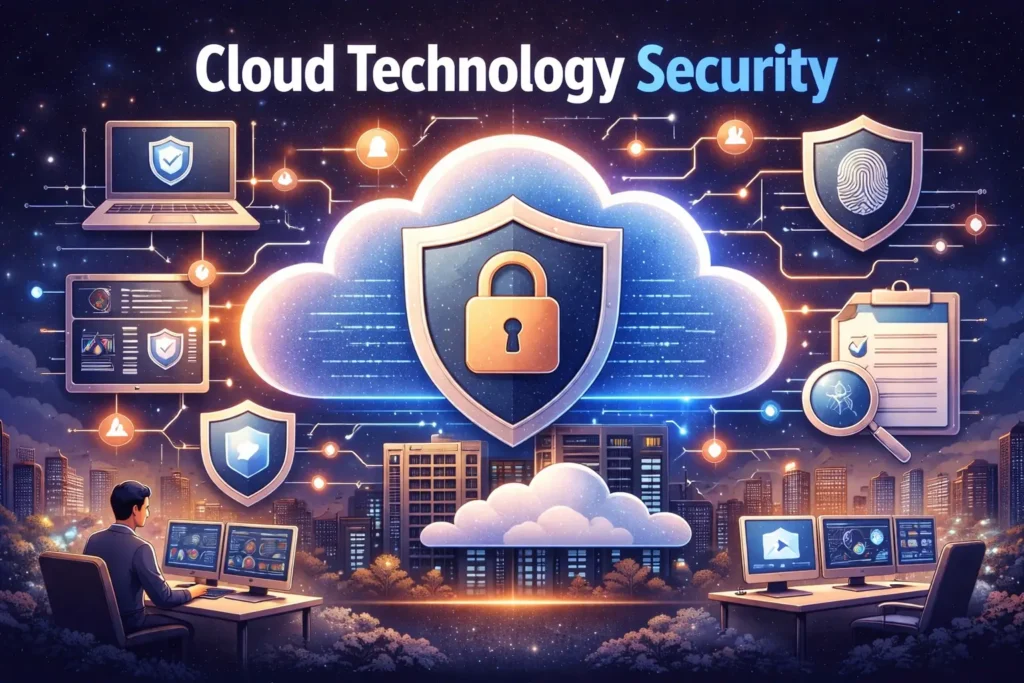
Major cloud providers invest billions in security. They employ thousands of security experts and use the latest protection technologies.
Security Measures Include:
- Physical security at data centers (guards, cameras, biometric access)
- Encryption of data in transit and at rest
- Regular security audits and certifications
- Advanced threat detection
- Automatic security updates
- Redundant systems to prevent outages
Most small and medium businesses cannot afford security measures this advanced. Cloud providers offer better security than most organizations could implement themselves.
Shared Responsibility Model
Cloud security is a shared responsibility:
Provider Responsibilities:
- Physical security of data centers
- Network infrastructure security
- Virtualization layer security
- Hardware and software updates
Your Responsibilities:
- Access control (who can access what)
- Data encryption
- Application security
- User authentication
- Compliance with regulations
Understanding this division helps you properly secure your cloud environment.
Common Security Concerns
Data Breaches: Cloud providers have strong security, but you must configure it properly. Most breaches result from customer misconfiguration, not provider failures.
Compliance: Industries like healthcare and finance have strict data regulations. Major cloud providers offer compliance certifications for common regulations.
Data Sovereignty: Some countries require data to stay within national borders. Cloud providers offer region-specific data centers to address this.
Insider Threats: Cloud providers have strict controls on who can access customer data. However, you should also control access within your organization.
Zero Trust Security in 2026
A major trend in 2026 is Zero Trust Security, which follows the principle “never trust, always verify.” This model assumes no user or system is automatically trusted.
Zero Trust Components:
- Verify every access request
- Grant minimum necessary access
- Monitor all activity
- Assume breach and minimize damage
Zero Trust has become critical for protecting cloud workloads in hybrid and remote work environments.
Cloud Technology for Small Business
Small businesses gain tremendous advantages from cloud technology.
Lower Barriers to Entry
You do not need expensive IT infrastructure to start a business anymore. Cloud services give you enterprise capabilities at small business prices.
What $100/month Gets You:
- Professional email for your team
- File storage and sharing
- Customer relationship management
- Accounting software
- Website hosting
- Collaboration tools
This would have cost thousands per month just 10 years ago.
Focus on Your Business
Cloud technology handles IT complexities, letting you focus on customers and growth instead of managing servers.
You do not need a dedicated IT team for basic needs. Many cloud services are simple enough for non-technical people to manage.
Compete with Larger Companies
Cloud levels the playing field. Small businesses access the same advanced tools as Fortune 500 companies.
Need AI for customer service? Cloud providers offer it. Want sophisticated data analytics? It is available. Enterprise-grade security? Included.
Flexibility to Grow
Start small and scale as you grow. Add users, storage, and features when needed. No need to predict future needs perfectly.
This flexibility reduces risk for new businesses. You are not locked into expensive long-term contracts for capacity you might not need.
Cloud Technology Trends in 2026
The cloud industry continues to evolve rapidly. Here are the major trends shaping 2026:
AI Integration Everywhere
Artificial intelligence is now deeply embedded in cloud platforms. According to recent research, most organizations run AI workloads in the cloud rather than on their own infrastructure.
AI Cloud Services Include:
- Pre-trained models for common tasks
- Custom model training platforms
- Natural language processing
- Image and video recognition
- Predictive analytics
Cloud makes advanced AI accessible to businesses of all sizes. Our guide on AI trends that are changing industries explores this further.
Edge Computing Integration
Edge computing brings data processing closer to where data is generated. This reduces latency and bandwidth usage.
In 2026, edge computing is not replacing cloud, but enhancing it. The cloud provides centralized management while edge nodes handle real-time processing.
Edge Use Cases:
- Manufacturing equipment that processes sensor data locally
- Retail stores analyzing customer behavior in real-time
- Autonomous vehicles making split-second decisions
- Smart cities managing traffic and utilities
Multi-Cloud Becomes Standard
Organizations continue embracing multi-cloud strategies. By 2026, using multiple cloud providers is normal, not exceptional.
Why Multi-Cloud?
- Avoid vendor lock-in
- Select best services from each provider
- Improve resilience
- Better negotiating power
- Regulatory compliance across regions
Cloud Cost Optimization (FinOps)
As cloud spending grows, so does focus on cost management. FinOps (Financial Operations for cloud) is now essential, not optional.
In 2026, rising energy costs and AI infrastructure investments are pushing cloud prices higher. Organizations invest heavily in optimizing cloud spending.
FinOps Practices:
- Detailed cost tracking
- Resource right-sizing
- Automated shutdown of unused resources
- Reserved instance planning
- Cross-team cost accountability
Serverless Computing Growth
Serverless computing lets you run code without managing servers. You write your function, and the cloud provider handles everything else.
Benefits:
- Pay only when code runs
- Automatic scaling
- No server management
- Faster development
Serverless adoption accelerates in 2026 for event-driven applications and microservices.
Sustainability Focus
Green cloud computing is now both a business and ethical priority. Organizations track the carbon footprint of cloud workloads to meet environmental goals.
Sustainability Measures:
- Using renewable energy in data centers
- Optimizing workload efficiency
- Choosing energy-efficient regions
- Carbon footprint reporting
- Liquid cooling for GPU-intensive AI workloads
Enhanced Cloud Security
As cyber threats evolve, cloud security advances too. In 2026, AI-augmented attacks require AI-powered defenses.
Security Trends:
- Automated threat detection and response
- Identity-centric security models
- Continuous compliance monitoring
- Cloud-native security tools
- Policy-as-code implementation
Learn more about staying secure in our article on emerging technologies to watch.
Cloud Technology Disadvantages
Despite many advantages, cloud technology has limitations you should understand.
Internet Dependency
Cloud services require reliable internet. If your connection fails, you cannot access your data or applications.
Mitigation: Have backup internet connections or offline fallbacks for critical operations.
Ongoing Costs
While you save on upfront costs, monthly fees continue forever. Over many years, total costs might exceed buying your own equipment.
Mitigation: Regularly review usage and optimize. Consider hybrid approaches for predictable workloads.
Limited Control
With cloud services, especially SaaS, you have less control over software features, updates, and customization.
Mitigation: Choose providers offering customization options or use more flexible PaaS/IaaS solutions.
Vendor Lock-In
Migrating between cloud providers is difficult. You might get stuck with a provider even if they raise prices or change terms.
Mitigation: Use multi-cloud strategies and design for portability from the start.
Performance Variables
Cloud performance can vary based on network conditions, shared resource usage, and data center location.
Mitigation: Choose data centers near your users and use dedicated resources for critical applications.
Compliance Complexity
Regulations around data storage and privacy vary by country. Ensuring compliance across jurisdictions can be challenging.
Mitigation: Work with cloud providers offering region-specific solutions and compliance certifications.
How to Get Started with Cloud Technology
Ready to move to the cloud? Here is a simple approach:
Step 1: Assess Your Needs
What problems are you trying to solve? Common starting points:
- Email and communication
- File storage and sharing
- Customer relationship management
- Accounting and finance
- Website hosting
Step 2: Start Small
Do not migrate everything at once. Pick one non-critical system to move first. Learn from this experience before moving more.
Good First Projects:
- Move email to Microsoft 365 or Google Workspace
- Use cloud storage (Dropbox, Google Drive)
- Try cloud-based accounting (QuickBooks Online, Xero)
Step 3: Choose the Right Provider
Consider:
- What specific services you need
- Your budget
- Existing tools and integration requirements
- Support quality
- Geographic data center locations
Step 4: Plan Your Migration
Create a detailed plan:
- What data needs to move
- How long migration will take
- Who needs training
- Backup and rollback procedures
Step 5: Train Your Team
People need to understand new tools. Invest in training:
- Basic cloud concepts
- Specific tool tutorials
- Security best practices
- Where to get help
Step 6: Monitor and Optimize
After migration:
- Track costs and usage
- Monitor performance
- Gather user feedback
- Optimize configurations
- Review security settings
The Future of Cloud Technology
Where is cloud technology heading? Here are predictions for beyond 2026:
Quantum Cloud Computing
Quantum computers will become available as cloud services, enabling calculations impossible with traditional computers.
Autonomous Cloud Management
AI will increasingly manage cloud infrastructure automatically, optimizing costs and performance without human intervention.
Deeper AI Integration
Every cloud service will have AI capabilities. Cloud platforms will become intelligent, learning from usage patterns to self-optimize.
Distributed Cloud
Cloud computing will become more distributed, with processing happening across many locations simultaneously for better performance and resilience.
Industry-Specific Clouds
More specialized cloud platforms will emerge for specific industries like healthcare, finance, and manufacturing, with built-in compliance and industry tools.
Conclusion
Cloud technology has transformed how we use computers and the internet. Instead of owning expensive equipment, we rent computing power, storage, and applications when we need them.
Key Takeaways:
- Cloud technology delivers computing services over the internet
- Major types include IaaS, PaaS, and SaaS
- Three providers dominate: AWS, Azure, and Google Cloud
- Benefits include cost savings, scalability, accessibility, and disaster recovery
- Security is strong but requires shared responsibility
- Trends in 2026 include AI integration, multi-cloud, and edge computing
- Small businesses gain enterprise capabilities at affordable prices
- U.S. cloud market exceeds $1 trillion in 2026
The cloud is not just a technology trend anymore. It is the foundation of modern computing. Whether you run a business, work from home, or just use apps on your phone, cloud technology makes it all possible.
Understanding how cloud technology works helps you make better decisions about technology for your business and life. The cloud will only become more important as we move forward.
The future is in the cloud. The question is not whether to use it, but how to use it most effectively.