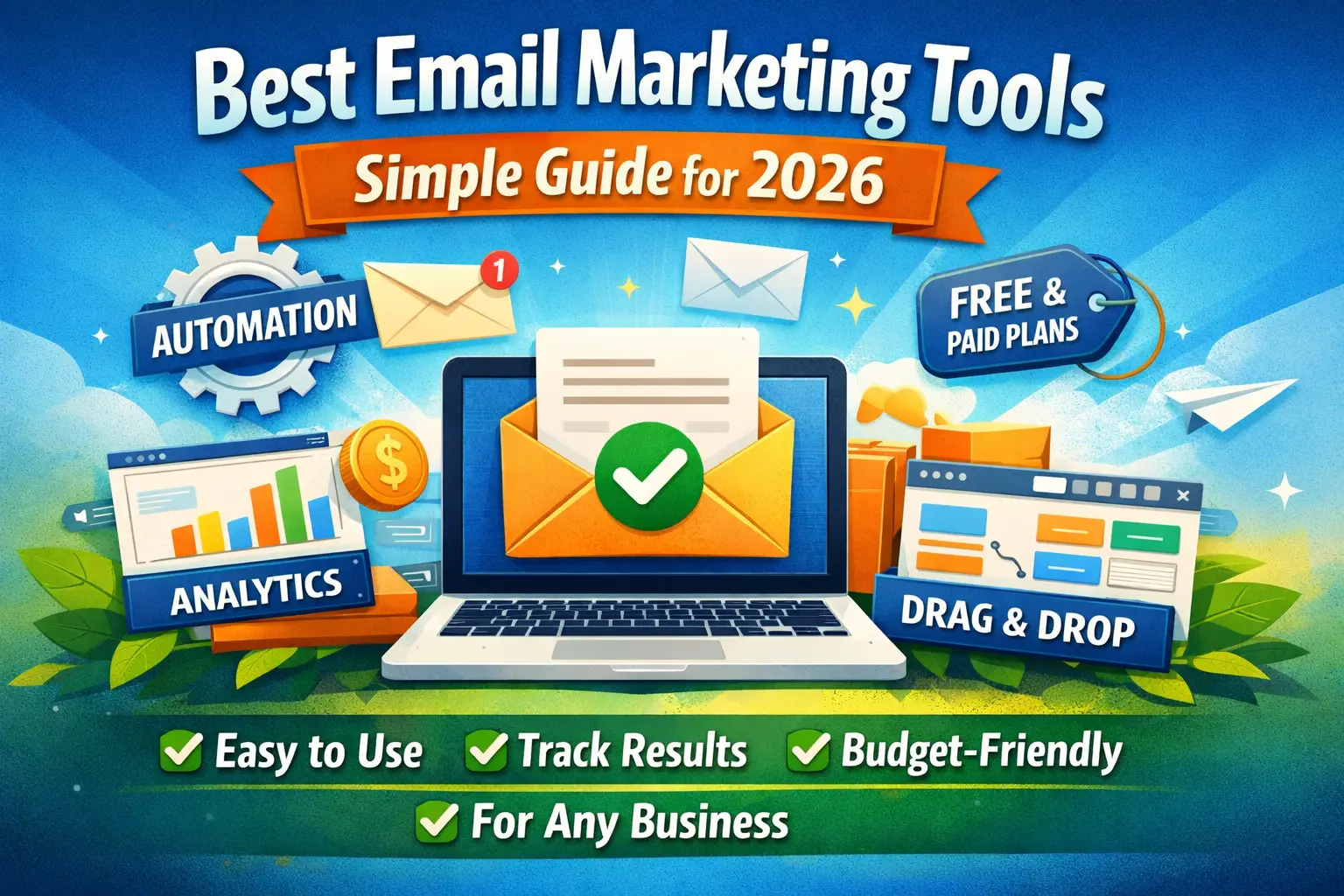
You need to send emails to customers. But which tool should you use?
There are dozens of options. Mailchimp. MailerLite. Klaviyo. Brevo. GetResponse.
They all claim to be the best. Prices range from free to $500 per month. Features sound confusing.
How do you pick?
I tested 10 popular email tools. Sent real emails. Built campaigns. Checked prices. Read what actual users say.
This guide shows you the best options. Simple explanations. No tech talk. Just honest help.
Whether you send 50 emails or 50,000, you’ll find the right tool here.
Let’s make this easy.
What Email Marketing Tools Actually Do
Before we compare tools, let’s understand what they’re for.
They send emails to many people at once. Instead of typing “john@gmail.com, sara@yahoo.com” every time, you upload a list. Click send. Everyone gets your email.
They make emails look good. Drag-and-drop builders let you add images, buttons, and colors. No coding needed.
They track who opens your emails. You see exactly who read your message. Who clicked your links. Who ignored it.
They send automatic emails. Someone signs up for your newsletter? The welcome email goes out instantly. No manual work.
They keep you legal. These tools add unsubscribe buttons. They follow spam laws. You don’t get in trouble.
That’s it. Pretty simple, right?
The confusing part is choosing which one to use.
Learn about content marketing strategy that uses email effectively.
The 7 Best Email Marketing Tools (Tested and Ranked)
Here are the winners. Listed from best to worst for most small businesses.
1. MailerLite (Best for Most People)
Price: Free up to 1,000 subscribers. Then $9 per month.
Why it’s great:
It’s easy. Really easy. You can build your first email in 10 minutes.
The free plan includes automation. Most tools charge extra for that.
You also get landing pages and a website builder. All free.
Templates look modern and professional. Not outdated like some tools.
Real user feedback: “Finally, an email tool that doesn’t make me want to pull my hair out.”
What’s not perfect:
Fewer integrations than Mailchimp. About 60 connections versus 300+.
If you run a huge online store, Klaviyo might work better.
Who should use it:
Small businesses just starting with email marketing.
Anyone who wants something simple that just works.
People who don’t want to spend $50+ per month.
Bottom line: Start here. Seriously. Most people never outgrow MailerLite.
2. Brevo (Best Budget Option)
Price: Free up to 300 emails per day. Paid plans start at $9 per month.
Why it’s great:
The free plan is super generous. Most tools limit how many subscribers you can have. Brevo limits how many emails you send daily instead.
You get email, SMS, and even live chat. All in one place.
Automation works great. Segmentation is solid.
Real numbers: Businesses report 94% deliverability with Brevo. That’s really good.
What’s not perfect:
Daily sending limits on the free plan can be annoying if you have urgent campaigns.
The interface isn’t as pretty as MailerLite.
Who should use it:
Businesses that want multiple channels (email + SMS + chat).
Anyone on a tight budget who sends emails regularly but not in huge bursts.
Bottom line: Best value for money. Period.
3. Klaviyo (Best for Online Stores)
Price: Free up to 250 contacts. Then $20 per month and up.
Why it’s great:
Built specifically for e-commerce. Integrates perfectly with Shopify, WooCommerce, BigCommerce.
You can send emails based on what people buy. “Hey, you bought shoes. Here are matching socks.”
The data it collects is incredible. You see exactly what each customer does on your site.
Automated abandoned cart emails. Product recommendations. Browse abandonment emails. All automatic.
Real results: Stores using Klaviyo report 25-30% revenue from email campaigns alone.
What’s not perfect:
Expensive. Really expensive. You can easily hit $100-$200 per month as you grow.
Overkill if you’re not running an online store.
Steeper learning curve than MailerLite or Brevo.
Who should use it:
Anyone selling products online.
Stores doing more than $10,000 per month in revenue.
Businesses that want email to be a major revenue channel.
Bottom line: If you sell stuff online, Klaviyo is worth the price.
4. Kit (Best for Creators and Bloggers)
Price: Free up to 10,000 subscribers. Paid plans start at $15 per month.
Why it’s great:
Made for people building personal brands. Bloggers, YouTubers, course creators.
You can sell digital products right through email. No separate platform needed.
The automation is powerful but not overwhelming.
Great for building paid newsletters.
Real user quote: “I went from Mailchimp to Kit and never looked back.”
What’s not perfect:
Templates are mostly text-based. Not great if you want super visual emails.
The free plan shows Kit branding in your emails.
You have to ask support to access the real free plan. They put you on a trial first.
Who should use it:
Bloggers and content creators.
Anyone building a personal brand or newsletter business.
People who want to sell digital products directly.
Bottom line: Perfect for creators. Not ideal for businesses selling physical products.
5. Mailchimp (Most Popular, But…)
Price: Free up to 500 contacts. Then $13 per month and up.
Why it’s still relevant:
It’s Mailchimp. Everyone knows it. 64% market share.
Tons of integrations. If a tool connects to email software, it connects to Mailchimp.
The templates are good. The analytics are detailed.
The problems:
They keep raising prices. Users complain about this constantly.
They count unsubscribed people toward your limit. You pay for people who don’t even get your emails anymore.
Customer support is hard to reach on lower plans.
Real user frustration: “Mailchimp increased my price three times in two years. I switched to MailerLite and saved $400 per year.”
Who should use it:
People already using it who are happy with the price.
Businesses that need specific integrations only Mailchimp has.
Bottom line: It works fine. But you’ll probably find better value elsewhere.
Check out AI copywriting tools to write your emails faster.
6. GetResponse (Best All-in-One)
Price: Free trial. Paid plans start at $19 per month.
Why it’s great:
It’s not just email. You also get landing pages, webinars, sales funnels, and automation.
The webinar feature is actually good. Most email tools don’t include this.
Strong automation. You can build complex customer journeys.
Includes AI tools for writing subject lines and content.
What’s not perfect:
No free plan. Only a 30-day trial.
More expensive than MailerLite or Brevo for basic email.
The interface takes time to learn. Lots of features means more complexity.
Who should use it:
Businesses that want one tool for everything.
Anyone running webinars regularly.
Companies willing to pay more for extra features.
Bottom line: Great if you need more than just email. Overkill if you don’t.
7. ActiveCampaign (Best Advanced Automation)
Price: Starts at $29 per month for 1,000 contacts.
Why it’s great:
The automation is incredibly powerful. You can build really complex customer journeys.
Includes a CRM (customer relationship management system).
Great for B2B companies and consultants.
Sales team features built in.
What’s not perfect:
Expensive. $29 per month is just the starting price.
Complex. This is not beginner-friendly.
Takes weeks to learn all the features.
Who should use it:
B2B companies with longer sales cycles.
Businesses that need sophisticated automation.
Teams that have time to learn the platform.
Bottom line: Powerful but complicated. Most small businesses don’t need this much power.
How to Pick the Right Tool for YOU
Here’s a simple decision tree.
Question 1: What’s Your Budget?
$0 per month:
- MailerLite (free up to 1,000 subscribers)
- Brevo (free with daily sending limits)
- Kit (free up to 10,000 subscribers, limited features)
$9-$20 per month:
- MailerLite ($9)
- Brevo ($9)
- Kit ($15)
- Mailchimp ($13)
$20-$50 per month:
- Klaviyo (starts at $20)
- GetResponse (starts at $19)
- ActiveCampaign (starts at $29)
Question 2: What Do You Sell?
Physical or digital products online: Use Klaviyo. It’s built for this.
Services or consulting: MailerLite or ActiveCampaign work great.
Digital products and courses: Kit is perfect.
Nothing yet, just building an audience: MailerLite. Keep it simple and free.
Question 3: How Many Emails Do You Send?
A few hundred per month: Any free plan works. Start with MailerLite.
Thousands per month: Brevo or MailerLite paid plans.
Tens of thousands: Klaviyo if e-commerce. ActiveCampaign if B2B.
Question 4: How Tech-Savvy Are You?
“I barely know how to attach files to emails”: MailerLite. Easiest interface by far.
“I’m comfortable with technology”: Any of them work. Try MailerLite first anyway.
“I’m a power user who wants maximum control”: ActiveCampaign or Klaviyo.
Question 5: What’s Most Important?
Ease of use: MailerLite wins.
Best price: Brevo gives you the most for free.
Making money from email: Klaviyo for stores. Kit for creators.
Advanced features: ActiveCampaign or GetResponse.
Just want it to work: MailerLite. Again.
Learn about digital marketing skills including email marketing.
Key Features to Look For
Not all features matter equally. Here’s what actually counts.
Must-Have Features
Automation basics: Welcome emails when someone subscribes. At minimum.
Mobile-friendly templates: 70% of people read email on phones. Your emails need to look good there.
Unsubscribe button: This is required by law. All good tools include it.
Basic analytics: Who opened. Who clicked. That’s it.
Email support: When something breaks, you need help.
Nice-to-Have Features
Landing pages: Saves money on separate tools. MailerLite includes this free.
A/B testing: Test two subject lines. See which works better.
Segmentation: Send different emails to different groups.
SMS marketing: Brevo includes this. Most others charge extra or don’t offer it.
Advanced Features (Only If You Need Them)
Lead scoring: Automatically rate how interested each subscriber is.
CRM integration: Connect to your sales software.
Dynamic content: Show different content to different people in the same email.
Webinar hosting: GetResponse has this. Most don’t.
Features That Don’t Matter Much
Fancy templates: Simple emails often work better anyway.
Social media posting: Use actual social media tools for this.
“AI-powered” anything: Usually just basic automation with a fancy name.
Common Mistakes People Make
Avoid these expensive errors.
Mistake 1: Picking Based on Brand Name
“I’ll just use Mailchimp because I’ve heard of it.”
That was good advice in 2015. Not anymore.
Mailchimp is expensive now. And they’ve made unpopular changes.
Better approach: Try the free plans of MailerLite and Brevo. Compare them yourself.
Mistake 2: Paying for Features You Don’t Use
GetResponse has webinars. That’s cool. But do you actually run webinars?
ActiveCampaign has a CRM. Do you need a CRM?
Better approach: List your actual needs. Pick the tool that does those things best. Ignore everything else.
Mistake 3: Not Starting Because It Feels Overwhelming
“I’ll set up email marketing when I have time to learn it properly.”
That time never comes.
Better approach: Sign up for MailerLite free. Spend 30 minutes. Send one email. You’ll figure it out.
Mistake 4: Switching Tools Too Often
Try one tool for 2 weeks. Don’t like it? Try another.
But don’t keep switching every month. That wastes time.
Better approach: Pick one. Use it for 3 months. Then evaluate.
Mistake 5: Ignoring Deliverability
Your emails need to reach inboxes. Not spam folders.
Some tools are better at this than others.
Tools with best deliverability:
- Brevo: 94%
- MailerLite: 92%
- Klaviyo: 95% (for e-commerce)
Tools with issues:
- Cheaper unknown tools often have delivery problems
Mistake 6: Not Building Your List
The best email tool in the world is useless with no subscribers.
Start building now:
- Add a signup form to your website
- Offer something free (guide, checklist, discount)
- Promote on social media
Mistake 7: Sending Too Many Emails
Weekly is good. Daily might be too much (unless you’re a newsletter).
Good email frequency:
- Weekly: Perfect for most businesses
- Twice a week: Fine if you have good content
- Monthly: Too rare, people forget about you
- Daily: Only for news or highly engaged audiences
Learn about how to improve brand awareness with email marketing.
Pricing Reality Check
Let’s talk real numbers.
Free Plans Work for Most Beginners
MailerLite free: 1,000 subscribers, unlimited emails Brevo free: Unlimited subscribers, 300 emails per day Kit free: 10,000 subscribers, basic features
You can stay free for months or even years if your list grows slowly.
When You Should Upgrade
Upgrade when:
- You hit the subscriber limit
- You need automation features
- You want to remove the tool’s branding
- You need priority support
Don’t upgrade because:
- You think paid is automatically better
- The sales rep called you
- You feel guilty using free
How Pricing Usually Works
Most tools charge based on subscriber count.
Example pricing tiers:
- 1,000 subscribers: $9-$20/month
- 5,000 subscribers: $30-$60/month
- 10,000 subscribers: $50-$100/month
- 50,000 subscribers: $200-$500/month
Warning: Some tools count unsubscribed people. That’s a sneaky way to charge more.
Hidden Costs to Watch For
Email sending limits: Some “unlimited” plans actually cap how many emails you send.
Feature paywalls: Basic automation free, advanced automation $50 extra per month.
Contact limits creep: You pay more as your list grows, even if you don’t need extra features.
Annual discounts trap: Sounds good until you want to switch mid-year.
Real Business Results
Here’s what actual businesses achieve with these tools.
Small Online Store
Tool: Klaviyo Subscribers: 3,500 Cost: $60/month Results: $2,500 per month from automated emails alone ROI: 42x return on investment
Consultant
Tool: MailerLite Subscribers: 800 Cost: $9/month Results: 2-3 new clients per month from weekly emails ROI: Each client worth $3,000+
Content Creator
Tool: Kit Subscribers: 12,000 Cost: $33/month Results: $1,200/month from paid newsletter subscriptions ROI: 36x return
Restaurant
Tool: Brevo Subscribers: 2,200 Cost: $15/month (using SMS too) Results: 30-40 customers per week from email promotions Average: $15 per customer = $1,800/month revenue
The pattern: Even simple email marketing pays for itself many times over.
Quick Start Guide
Want to get started today? Here’s how.
Step 1: Pick Your Tool (5 minutes)
Most people: MailerLite E-commerce: Klaviyo Super budget: Brevo
Sign up for the free plan.
Step 2: Import Your Contacts (10 minutes)
Have an email list somewhere? CSV file? Old tool?
Upload it to your new tool. Most have an import button.
Don’t have a list yet? That’s fine. Move to step 3.
Step 3: Create a Simple Signup Form (15 minutes)
Click “Forms” or “Signup forms.”
Choose a template.
Change the text to something like: “Get weekly tips in your inbox.”
Add it to your website.
Step 4: Send Your First Email (20 minutes)
Click “Create campaign.”
Pick a template.
Write a simple message. Something like:
“Hey! Thanks for subscribing. Here’s what to expect…”
Send it to your list (or just yourself to test).
Done!
That’s it. You’re doing email marketing now.
Everything else you can learn as you go.
Check out AI for content marketing to create email content faster.
Conclusion: Just Pick One and Start
Here’s the truth: The difference between email tools matters way less than actually using one.
A simple email sent through MailerLite beats a perfect email you never send through ActiveCampaign.
My recommendations:
90% of people: Start with MailerLite free. It’s easy, it works, and you’ll probably never need to switch.
Online stores: Use Klaviyo from day one. Yes, it costs more. But it’ll make you way more money.
Super tight budget: Brevo gives you the most free features.
Creators and bloggers: Kit is built for you.
Still not sure? Try MailerLite. Seriously. Free, easy, powerful enough.
The best email marketing tool is the one you’ll actually use. Pick one today. Import some contacts. Send an email this week.
Stop researching. Start emailing.
Your customers are waiting to hear from you.
For more marketing help, read our guides on marketing budget planning and social media marketing tips.